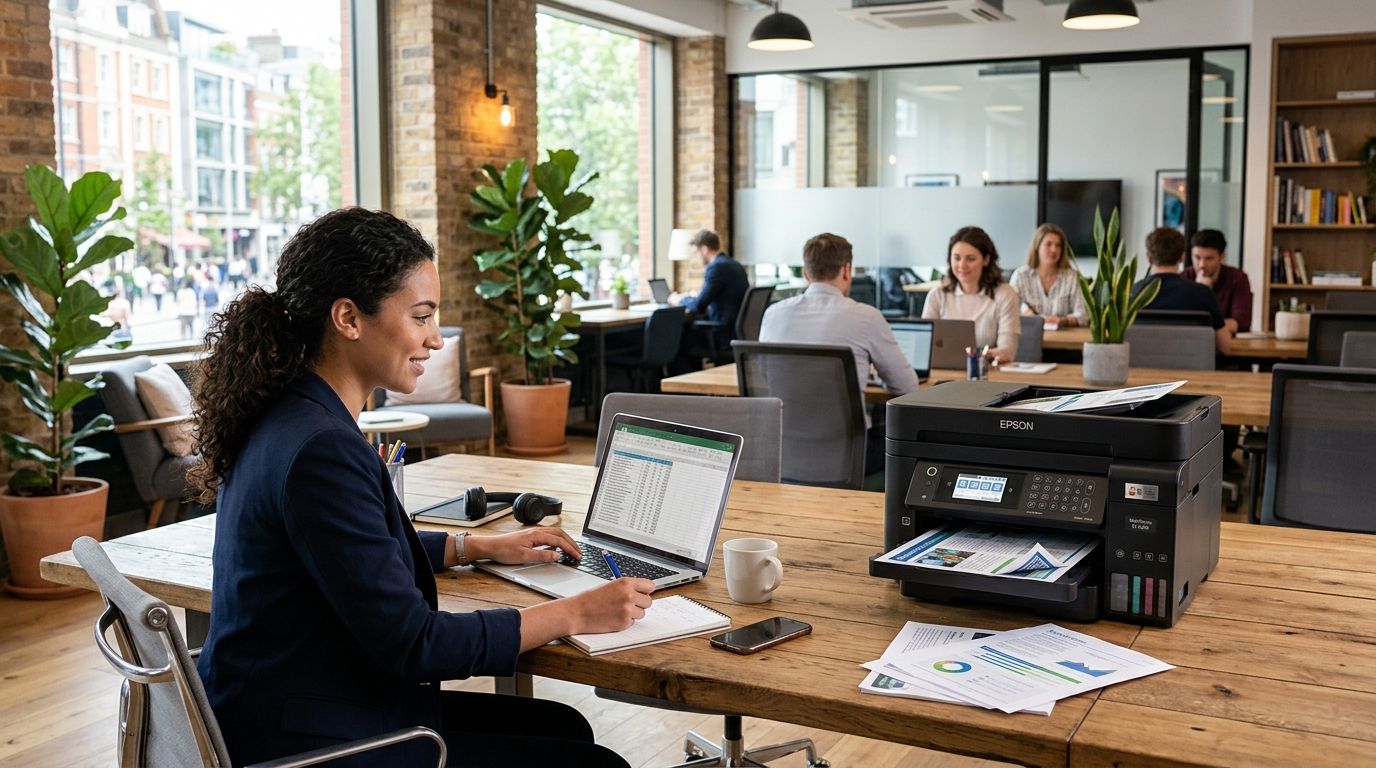
Printing and scanning sound like small details until you're stuck emailing a signed lease from your phone camera because the desk you rented has no shared equipment. This guide breaks down which coworking plan in Werribee actually covers you for daily print jobs, client handouts, and scan-to-email workflows in 2026.
- A coworking space with printing and scanning works best when the plan matches how often you actually print, not just the desk price.
- Dedicated desk plans suit daily printing and scanning; hot desk access suits occasional office days.
- Private offices for teams of two to five give shared equipment access without hot-desk queueing.
- Meeting room hire covers one-off client presentations that need handouts printed on the day.
- Westend Business Hub in Werribee runs all five formats from one site, so you can switch as printing needs change.
Why this matters
Most professional services businesses still run on paper at some point — signed contracts, invoices, compliance forms, client leave-behinds. A dedicated desk plan that includes shared printing and scanning removes the daily trip to a print shop or the awkward ask to borrow a client's printer.
The mistake most solo founders and small teams make in 2026 is picking a coworking membership on price or desk comfort alone, then discovering the printing setup doesn't match how they work. Someone printing five pages a week needs a different plan than someone printing shipping labels or signed agreements every day.
What makes the best coworking space with printing and scanning
Before comparing plans, know what you're actually auditing:
- Shared equipment access — printer and scanner available to every desk type, not locked behind a higher tier
- Scan-to-email or cloud scan — documents land in your inbox or drive, not just a shared folder
- Reliable internet — scanning to email or cloud storage is useless on a slow connection
- Desk flexibility that matches print frequency — daily printers need daily desk access, not a day pass
- Meeting room access nearby — client-facing print jobs are easier when the printer sits close to where you meet clients
- A professional address on anything you print — invoices and letterheads read better with a real business address than a home one
At a glance
| Plan | Best for | Standout feature | Key limitation |
|---|---|---|---|
| Dedicated Desk Plan | Solo founders printing daily | Same desk and shared printer access every day | Fixed desk means less flexibility if you travel often |
| Hot Desk Access | Staff on occasional office days | Print and scan access without a full-time desk commitment | First-come desk allocation on busy days |
| Private Office for Small Teams | Teams of two to five | Shared equipment without hot-desk queueing | Bigger commitment than a single hot desk |
| Day Pass | Casual or one-off use | Test the printing setup before committing | Not built for regular weekly use |
| Meeting Room Hire | Client presentations | Print handouts close to where you're meeting clients | Booked by the hour, not a standing desk solution |
1. Dedicated Desk Plan: best coworking plan for solo founders printing daily
A dedicated desk plan gives one person the same desk every working day, with access to the shared office equipment on site. It suits consultants, bookkeepers and freelancers who generate paperwork constantly — signed agreements, client invoices, compliance documents.
Dedicated Desk pros:
- Same workstation every day, so you're not hunting for a free spot near the printer
- Predictable routine for anyone printing or scanning several times a day
- Fits solo entrepreneurs building a consistent client-facing workflow
Dedicated Desk cons:
- Less useful if you only need office access two or three days a week
- No flexibility to skip a month without changing your plan
Verdict: Buy if you print or scan most working days and want the same seat every time.
2. Hot Desk Access: best coworking plan for staff working occasional office days
Hot desk access suits hybrid teams where staff come in a couple of days a week rather than daily. You still get printer and scanner access, just without owning a fixed spot.
Hot Desk pros:
- Lower commitment than a dedicated desk
- Works well for hybrid teams rotating office days
- Shared printing still available without needing your own desk
Hot Desk cons:
- No guaranteed desk location if the space fills up early
- Not built for large daily print volumes
Verdict: Buy for hybrid staff who need occasional access rather than a permanent seat.
3. Private Office for Small Teams: best coworking option for teams of two to five
A private office for small teams keeps a team together in one room while still giving access to shared printers and scanners in the building. It fits growing consultancies, small agencies, or a two-person bookkeeping practice that has outgrown a single desk.
Private Office pros:
- Team stays together for calls and internal discussion
- Shared equipment access without competing for a hot desk
- Room to add a third or fourth person without switching plans immediately
Private Office cons:
- Bigger commitment than a single desk or day pass
- Printer and scanner remain shared building resources, not a dedicated in-room unit
Verdict: Buy once your team outgrows individual desks and needs a room of its own.
4. Day Pass: best coworking option for testing the print setup first
A day pass lets you use printing and scanning on site before signing up to a longer plan. It's the simplest way to check whether the equipment, internet speed and desk layout suit how you print.
Day Pass pros:
- No ongoing commitment
- Good way to test scan quality and printer reliability before choosing a bigger plan
- Suits occasional visitors and anyone weighing up a switch from a home office
Day Pass cons:
- Not designed for regular weekly printing needs
- No guaranteed desk if the space books out
Verdict: Hold — use it to test, then upgrade once you know your print volume.
5. Meeting Room Hire: best coworking option for client presentations with printed handouts
Meeting room hire covers the one-off case — a pitch, a signing, a proposal walkthrough — where you need printed material ready in the same building you're meeting the client. It's not a desk replacement, it's a booking for the moments that matter.
Meeting Room pros:
- Print handouts close to the room you're presenting in
- Books by the hour, so you're not paying for a desk you don't use daily
- Professional setting for client-facing work
Meeting Room cons:
- Not a substitute for daily desk and printing access
- Needs advance booking during busy periods
Verdict: Buy for anyone whose printing needs are tied to client meetings rather than daily work.
“If you're printing more than a handful of documents a week, a day pass won't cut it — that's when a dedicated desk or private office earns its keep.”
How this list was ranked
Each plan was matched against the six criteria above — shared equipment access, scan quality, internet reliability, desk flexibility, proximity to meeting rooms and address professionalism — then slotted against the use case it fits best rather than ranked on one leaderboard. That's why a day pass and a dedicated desk both make the 2026 list without competing against each other.
See the printing setup in person
Book a walkthrough of the Werribee space before you commit to a plan.
Which coworking plan should you choose?
If you print or scan most working days, the Dedicated Desk Plan is the safest default in 2026 — same desk, same equipment, no daily allocation stress. If your team has grown past one person, go straight to the Private Office for Small Teams instead of stacking multiple hot desks. Anyone unsure where they land should start with a Day Pass, test the printer and scan quality firsthand, then upgrade once the pattern is clear.
FAQ
What's the best coworking space with printing and scanning in Werribee?
Westend Business Hub in Werribee offers shared printing and scanning access across its desk, private office and meeting room plans in 2026. The right pick depends on how often you print rather than the space itself.
Is a dedicated desk better than a hot desk for daily printing?
Yes. If you print or scan most working days, a dedicated desk plan gives you the same workstation every time, while hot desk access suits people coming in only a couple of days a week.
Can I test printing and scanning before committing to a membership?
A day pass lets you use the space for a single day, which is the easiest way to check scan quality and printer reliability before signing up to a longer plan.
Do private offices for small teams include shared printer access?
Yes. A private office for a team of two to five draws on the building's shared printing and scanning equipment rather than a dedicated in-room unit.
Is meeting room hire useful if I only print occasionally?
Meeting room hire suits one-off client presentations where you need handouts printed close to where you're meeting, rather than daily desk-based printing.
How do I know which coworking plan fits my printing needs?
Match the plan to frequency. Daily printers should look at a dedicated desk or private office; occasional users are better served by hot desk access or a day pass.
Does a virtual office plan include printing and scanning?
Virtual office plans are built around a business address and mail handling rather than daily desk access. Anyone needing regular printing should pair one with a desk plan or day pass.
What should I check on a coworking tour before signing up?
Ask to see the printer and scanner in use, check internet speed at a desk, and confirm whether equipment access is shared across all plan types or limited to higher tiers.
One last thing
The plan that looks cheapest on paper in 2026 is rarely the one that saves the most time. A day pass costs less per visit than a dedicated desk, but if you're printing signed contracts three times a week, the hours lost booking ad-hoc access add up faster than the desk fee ever would. Pick on your actual weekly print habit, not the sticker price.