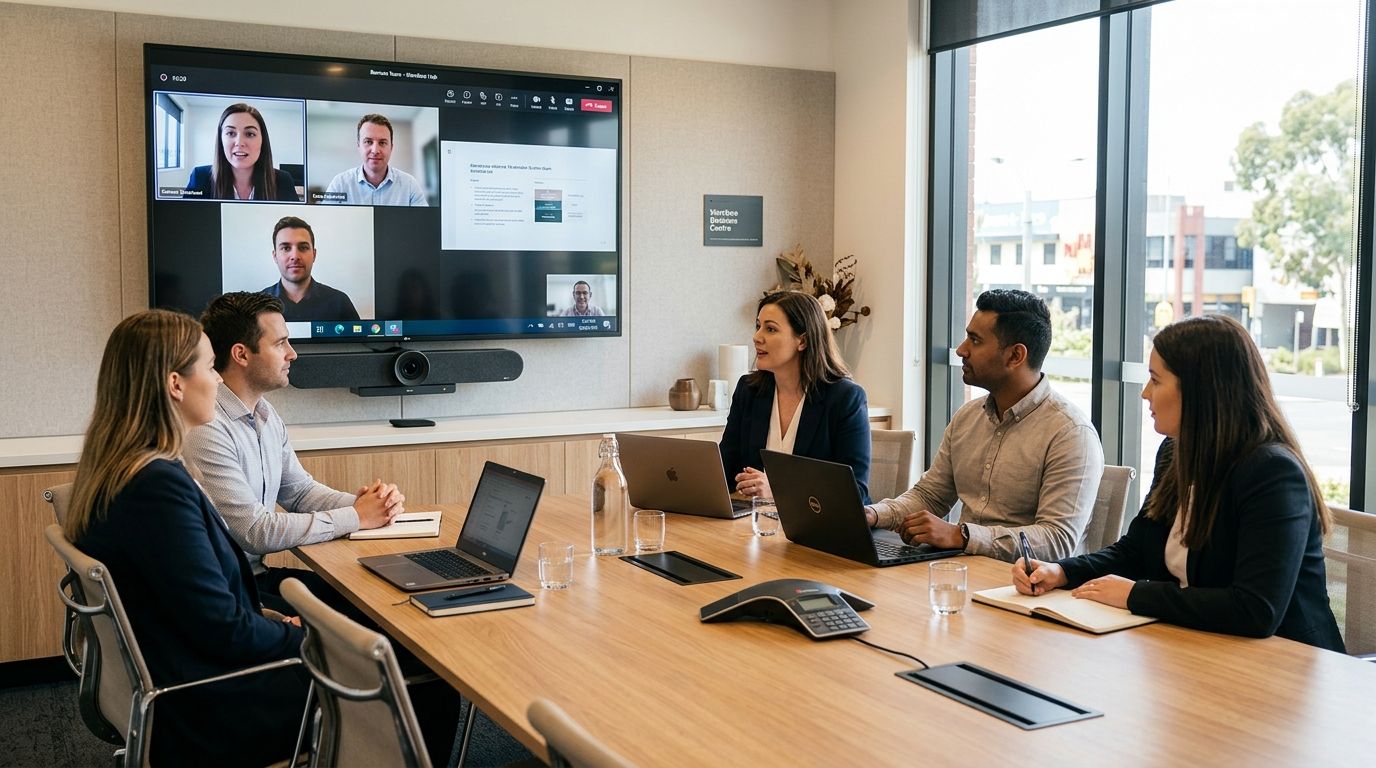
Werribee businesses booking a meeting room for a video call need more than a table and four chairs — they need a screen, a working camera setup and a door that actually blocks noise from the corridor. This guide ranks the meeting room options at Westend Business Hub by the job each one does best, so you can book the right room the first time.
- Best overall for meeting rooms with video conferencing in Werribee: the Client Presentation Room, built for pitching to clients who dial in remotely.
- Board Meeting Room suits formal governance sessions where a director joins by video instead of driving in.
- Investor Pitch & Demo Day Room fits founders presenting to a panel that's only partly in the room.
- Training & Workshop Room handles bigger groups needing screen sharing to eight or more attendees.
- Small Business Meeting Room covers everyday catch-ups that don't need a full production.
Why this matters
A meeting room that looks fine on a walkthrough can fall apart the moment someone in Sydney or Perth joins by video and can't hear the room, or the screen won't mirror a laptop. That's the gap between a room with chairs and a room set up for meeting rooms with video conferencing werribee actually needs — reliable internet, a camera angle that includes everyone at the table, and a microphone that picks up the far end of the room, not just whoever's closest.
Getting this wrong costs more than embarrassment. A dropped call mid-pitch or a training session where half the group can't read the shared screen wastes the time you booked the room for in the first place. In 2026, with hybrid meetings now the default rather than the exception for most small businesses in Melbourne's west, the room itself is part of the pitch.
What makes the best meeting room for video calls
- Video and audio that works without a scramble — no plugging in three adapters before the call starts
- Room size matched to the meeting type — a boardroom table seats differently than a training layout
- Acoustic privacy — a call two doors down shouldn't bleed through the wall
- Booking flexibility — hourly hire for a quick pitch versus half-day blocks for training
- Easy access for outside guests — parking and a clear entrance matter when a client is visiting for the first time
- Backup internet capacity — one dropped connection shouldn't kill a client call
At a glance: Werribee meeting rooms for video conferencing
| Room | Best for | Standout feature | Key limitation |
|---|---|---|---|
| Client Presentation Room | Client pitches and sales meetings | Camera framing built for one-to-few conversations | Not sized for a large training group |
| Board Meeting Room | Formal board and governance sessions | Boardroom table layout suited to structured agendas | Overkill for a casual two-person chat |
| Investor Pitch & Demo Day Room | Founders presenting to investors | Set up for a panel with remote and in-room attendees | Needs advance booking around demo day schedules |
| Training & Workshop Room | Multi-person training and workshops | Screen sharing built for a bigger group | Less private feel for a sensitive one-on-one |
| Small Business Meeting Room | Everyday meetings and quick catch-ups | Fast to book without a big setup | Fewer video conferencing extras for a large panel |
1. Client Presentation Room: best for client-facing pitches
The Client Presentation Room is where most small businesses in Werribee run their sales meetings — a client sits across the table while someone from head office or a supplier joins the call on screen. It's built for that exact dynamic: a small group in the room, one or two people dialing in.
Client Presentation Room pros:
- Camera framing designed for a small in-room group plus remote attendees
- Quick to book for a same-week client meeting
- Quiet enough that a client doesn't hear the coworking floor behind you
Client Presentation Room cons:
- Not built for a group larger than a handful of people
- Less useful if you need to present slides to eight or more attendees
Verdict: book this room for any meeting where the client's opinion of your business is riding on the next hour. Skip it if you need to train a group.
2. Board Meeting Room: best for formal board sessions
The Board Meeting Room is the pick for governance work — quarterly reviews, formal votes, the kind of meeting where an agenda gets followed line by line and at least one director joins remotely.
Board Meeting Room pros:
- Boardroom table layout suited to a structured agenda
- Video setup that keeps a remote director visible to the whole table, not just the closest person
- Formal enough for minute-taking and sign-off
Board Meeting Room cons:
- Feels stiff for a casual internal chat
- Booking it for a two-person call is a waste of the layout
Verdict: book this room when the meeting needs a paper trail and a remote director. Hold off if it's just a quick internal sync.
3. Investor Pitch & Demo Day Room: best for founder pitches
Founders raising capital or running a demo day session need a room where the pitch lands the same whether the investor is sitting across the table or watching on a screen. The Investor Pitch & Demo Day Room is built around that split audience.
Investor Pitch & Demo Day Room pros:
- Set up for a mixed audience of in-room and remote panelists
- Works for a rehearsed pitch deck without last-minute AV fixes
- Books in short blocks, useful for back-to-back demo day slots
Investor Pitch & Demo Day Room cons:
- Popular around demo day season, so it fills fast — book ahead
- Not the room for a long, informal working session
Verdict: book this room the moment a pitch date is confirmed for 2026 — don't leave it to the week before.
4. Training & Workshop Room: best for group sessions
When the group grows past a handful of people, the Training & Workshop Room at westendbusinesshub.com.au is the better fit. It's built for screen sharing to a room, not a table of four.
Training & Workshop Room pros:
- Handles a bigger group without crowding
- Screen sharing set up for a room-wide view, not just the person nearest the monitor
- Useful for half-day or full-day bookings
Training & Workshop Room cons:
- Less intimate feel for a sensitive one-on-one conversation
- Overkill if the meeting is only two or three people
Verdict: book this room for any session where the group, not the individual, is the audience.
5. Small Business Meeting Room: best for everyday use
Not every meeting needs a full video setup and a rehearsed agenda. The Small Business Meeting Room covers the everyday bookings — a quick supplier call, a catch-up with a bookkeeper, a client sit-down that doesn't need a production.
Small Business Meeting Room pros:
- Fast to book without heavy setup
- Covers most day-to-day meeting needs
- Priced for regular, casual use rather than a one-off event
Small Business Meeting Room cons:
- Fewer video conferencing extras than the dedicated presentation or board rooms
- Not the choice for a large panel or a formal pitch
Verdict: book this room as your default for regular meetings, and step up to a specialised room only when the meeting calls for it.
How this ranking works
Each room above is matched to one job, not ranked against the others as if they compete for the same booking. A Board Meeting Room and a Client Presentation Room solve different problems — the ranking criteria (video and audio reliability, room size fit, privacy, booking flexibility, access, and internet capacity) decide which room fits which meeting, not which room is "better" in the abstract.
“The room that wins isn't the fanciest one — it's the one sized for the meeting you're actually running.”
Which meeting room should you choose?
For most small businesses booking meeting rooms with video conferencing in Werribee in 2026, the Client Presentation Room is the safest default — it covers client pitches and remote-attendee calls without over-committing to a formal boardroom layout. Step up to the Board Meeting Room for governance work, the Investor Pitch & Demo Day Room for fundraising, the Training & Workshop Room once the group grows, and keep the Small Business Meeting Room on hand for everything routine.
Book a meeting room in Werribee
Check availability for client pitches, board sessions and training days.
FAQ
What's the best meeting room in Werribee for video conferencing?
The Client Presentation Room at Westend Business Hub is the best all-round pick for 2026 because it's built for a small in-room group plus remote attendees joining by video. Larger groups or formal board sessions suit a different room in the lineup.
Do Werribee meeting rooms include video conferencing equipment?
Yes — the meeting rooms at Westend Business Hub are set up with a screen, camera and microphone so remote attendees can join whichever video call platform you run. The exact setup varies by room, so match the room to the meeting size.
Is a coworking meeting room better than hiring an external venue?
For most small business meetings, yes — a coworking meeting room in Werribee avoids the setup time and cost of hiring an outside venue while still giving you a professional space for clients. It also keeps the booking flexible, from an hour to a full day.
How far ahead should I book a meeting room for an investor pitch?
Book as soon as the pitch date is confirmed, especially around demo day season, since the Investor Pitch & Demo Day Room fills up fast in 2026. Waiting until the week of the pitch risks losing the slot.
Can a training session run in a standard meeting room?
A standard meeting room works for a small group, but once attendee numbers grow past a handful, the Training & Workshop Room handles screen sharing and space better. Match the room size to the group, not just the agenda.
What's the difference between a board meeting room and a client presentation room?
A board meeting room is laid out for formal governance sessions with a structured agenda, while a client presentation room is built around pitching to a client with a remote attendee joining by video. Choosing the wrong one either feels too stiff or too informal for the meeting.
Do I need to bring my own laptop for video calls?
Yes, meeting rooms are set up to connect to your laptop for whichever video platform you use — the room provides the screen, camera and internet connection. Check the room's setup notes when booking if your meeting has specific software needs.
One last thing
The room that gets skipped most often isn't the fanciest one — it's the Small Business Meeting Room, because founders assume a "proper" video call needs the biggest room available. In practice, most day-to-day meetings in 2026 run better in a smaller room with less setup time, saving the specialised rooms for when the meeting actually calls for them.