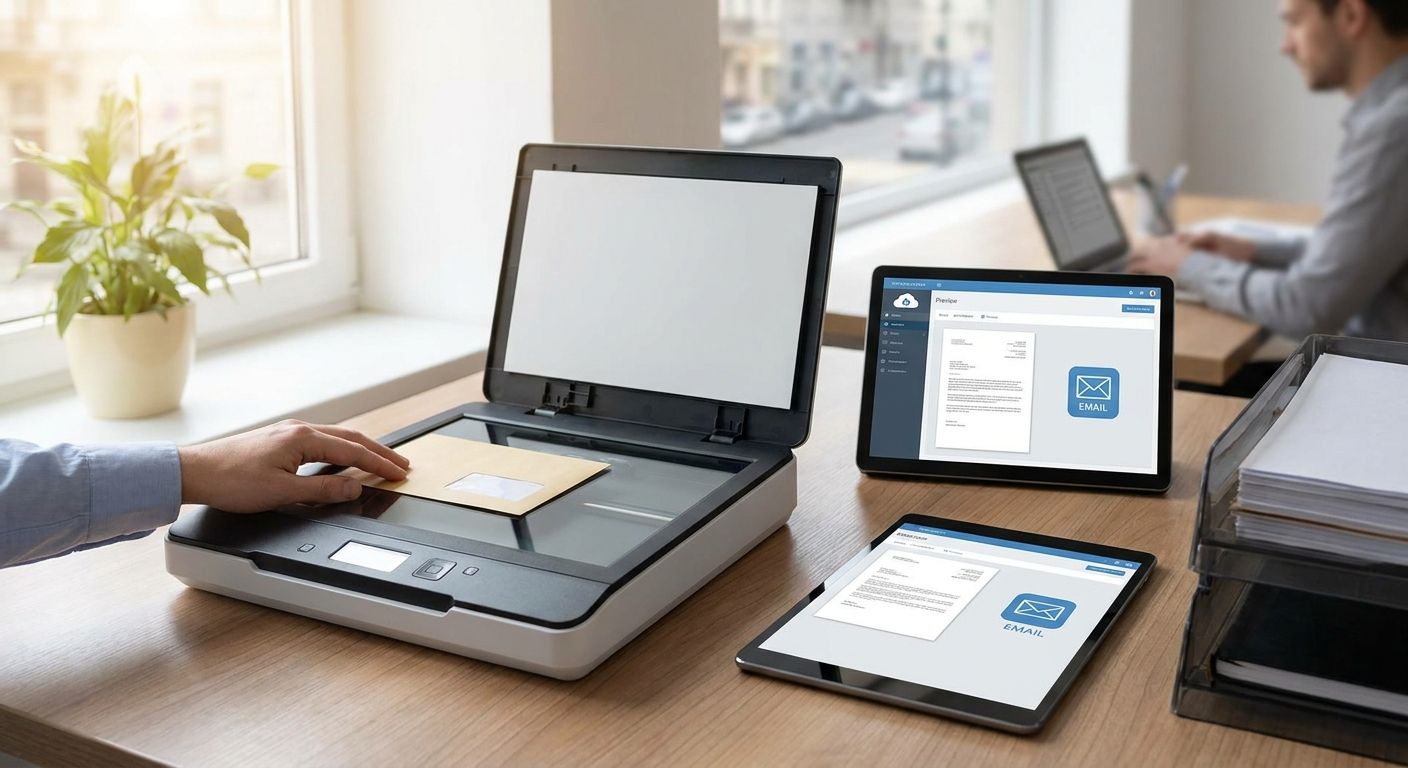
Mail scanning from a virtual office comes down to three moves: your provider receives items at the registered address, opens and scans them on request or on a set schedule, then emails you the PDF while holding or shredding the physical copy as you instruct. The part most owners miss is that scanning isn't automatically bundled into every virtual office plan in 2026 — some cover collection or redirection only, and scanning gets billed or offered as an add-on, so you need to confirm it before you sign anything.
- Mail scanning virtual office setups work in three steps: receive, scan to PDF, email — but confirm it's included before you sign.
- Westend Business Hub's Werribee plans give you a registered address; ask which mail types get opened versus forwarded unopened.
- Courier and parcel handling is a separate workflow from scanning, so check both if you run an ecommerce or trades business.
- A virtual office beats a home address for privacy in 2026, but scanning only helps if someone checks the inbox regularly.
Why this matters
If you registered your business with a home address, every piece of mail from ASIC, the ATO, or a client's lawyer lands on your kitchen table with your street number attached to public records. A virtual office swaps that for a commercial address, and mail scanning is what makes that address useful when you're not physically there to open the letterbox.
For solo founders and small teams working across Werribee and Melbourne's west, the gap between "I have a business address" and "I actually see my mail" is where compliance mail gets missed and invoices sit unopened for weeks. Scanning closes that gap without you driving anywhere.
This matters more in 2026 than it did a few years back — more government correspondence, tax notices, and supplier invoices arrive as physical mail specifically because so much else has moved digital, and providers assume you'll check email, not a PO box.
How does mail scanning work at a virtual office?
The process is close to identical across providers offering a mail scanning virtual office service, though the fine print on opening mail and turnaround differs. Here's the standard sequence:
- Sign up for a virtual office plan and confirm your registered business address with the provider.
- Mail arrives at that address addressed to your business name.
- The provider logs the item and notifies you it's arrived, usually through email or a client portal.
- You approve the scan — most providers won't open anything addressed as "private" or legal correspondence without your written go-ahead first.
- The item is scanned to PDF and emailed to the address on file.
- The physical copy is held, shredded, or forwarded depending on what you've asked for when you set up the account.
This is a different workflow from accepting courier and parcel deliveries at a virtual address, which usually involves signing for the item and holding it for pickup rather than scanning contents — parcels don't get opened and emailed the way a letter does.
If you'd rather have everything forwarded physically instead of scanned, ask about setting up business mail redirection for your company — some businesses run both services side by side, scanning urgent-looking mail and redirecting the rest in a weekly batch.
Verdict: a mail scanning virtual office setup works well for any business that doesn't have someone checking a physical mailbox daily — but ask exactly which mail types get opened before you rely on it for anything time-sensitive.
What a scanning workflow typically includes vs. what it doesn't
| Included in most scanning workflows | Usually separate or excluded |
|---|---|
| Opening and scanning standard letters to PDF | Registered/certified legal mail without written consent |
| Emailing the scan to your listed address | Courier and parcel content (only signed for, not opened) |
| Holding or shredding physical copies on request | Same-day scanning guarantees (varies by provider) |
| Notification when mail arrives | Physical forwarding to a second address (that's redirection) |
Set up mail scanning at your Werribee address
Talk through which virtual office plan includes scanning before you commit.
Why mail scanning setups vary between providers
Not every business needs the same scanning arrangement, and the right setup depends on a handful of factors:
- Plan tier — some virtual office plans bundle scanning into the base price, others charge per scan or per month.
- Mail volume — a business getting a handful of letters a month needs a very different rhythm than one getting daily supplier correspondence.
- Compliance sensitivity — if your registered office address is tied to ASIC filings, missed compliance mail has real consequences, so check how fast scans go out.
- Mail type restrictions — legal, certified, and government mail often can't be opened without your prior written consent, which slows the process compared to standard letters.
- Business structure — sole traders and freelancers running lean tend to want everything scanned immediately, while a growing team might prefer a weekly digest instead.
- Storage limits — physical copies pile up if nobody collects them, so ask what happens to originals after 30, 60, or 90 days.
A setup like this suits sole traders and freelancers who want a professional address without leasing a room; the virtual office for freelancers and sole traders plan folds mail handling into the base package rather than treating it as an extra line item.
Is a virtual office address enough for ASIC registration in 2026?
A registered office address for ASIC purposes generally needs to be a physical location where documents can be delivered during business hours, and a virtual office qualifies as long as the provider actually receives and processes mail rather than just renting out an address on paper. The safest move in 2026 is to confirm directly with your provider that they staff the address and log incoming mail — an address that nobody checks defeats the purpose even if it's technically valid.
Can a virtual office redirect mail instead of scanning it?
Yes, redirection and scanning are two different services and most providers let you pick one, both, or switch between them as your needs change. Redirection physically forwards the item to another address, while scanning digitises it and emails you — redirection suits paper-heavy businesses that still want hard copies, scanning suits anyone who wants speed and doesn't need the original in hand.
How is virtual office mail scanning different from parcel handling?
Mail scanning applies to letters and documents that get opened and digitised, while parcel handling covers packages that get signed for and held without being opened — a courier delivery isn't scanned because there's nothing to scan on the outside of a box. If your business receives both regularly, confirm your provider runs both workflows rather than assuming one covers the other.
FAQ
What's the best way to get mail scanned and emailed from a virtual office?
The most reliable way is to sign up for a virtual office plan that includes scanning as a standard feature rather than a paid add-on, so every letter gets logged, scanned to PDF, and emailed without extra steps. Confirm with the provider which mail types they'll open versus hold unopened for legal reasons.
Is mail scanning included in a virtual office plan?
It depends on the provider — some virtual office plans bundle scanning into the monthly fee, others treat it as a separate service you request per item. Always ask before signing up rather than assuming it's automatic.
Can a virtual office scan legal or certified mail?
Most providers won't open registered, certified, or legal mail without your written consent first, even if scanning is included in your plan. Expect a notification and a request for approval rather than an automatic scan for anything marked private or legal.
Is mail scanning better than mail redirection for a home-based business?
Mail scanning is faster because you see the content by email the same day it's processed, while redirection means waiting for the physical item to arrive by post. Choose scanning if speed matters more than holding the original document.
Do virtual offices scan mail every day?
Scanning frequency depends on the provider and your plan — some scan as items arrive, others batch scans on set days of the week. Ask about turnaround before you rely on it for time-sensitive mail like tax notices or court documents.
What happens to the physical letter after it's scanned?
You choose upfront whether the original gets held for pickup, shredded, or forwarded to another address — most providers won't dispose of anything without your instruction. Check your plan's default setting so nothing important gets shredded by mistake.
Is virtual office mail scanning secure for sensitive documents?
Reputable providers handle scanned mail through a secure client portal or encrypted email rather than a shared inbox, and physical copies are stored under access control until collected or destroyed. Ask specifically how scans are transmitted and stored before sending anything financial or legal through the service.
One last thing
The detail business owners forget most often: switching virtual office providers means updating your registered office address with ASIC separately — the new provider scanning your mail doesn't automatically redirect what's still addressed to the old one. Update the ASIC record the same week you switch, not after the first piece of mail goes missing.