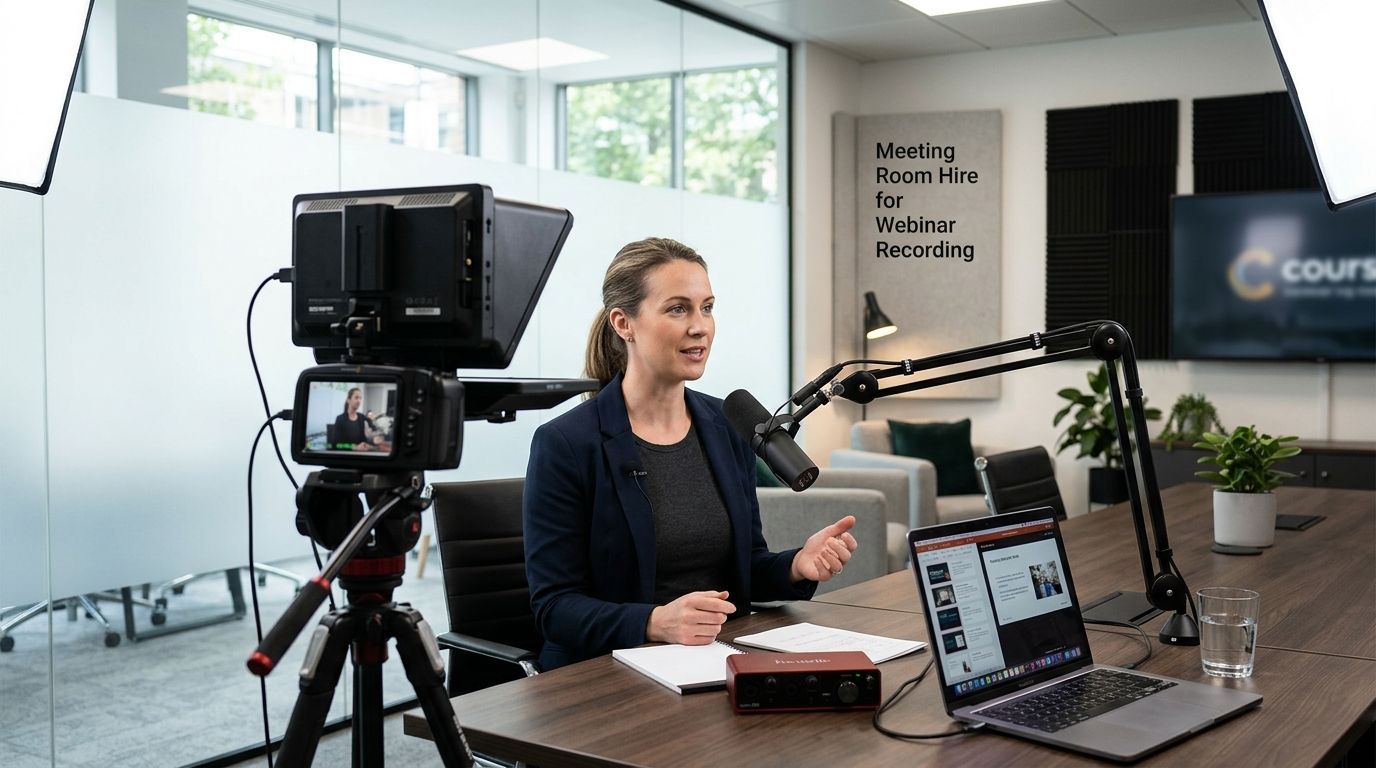
Meeting room hire for webinar recording gives online course creators, coaches and course-based businesses a quiet, professional room with a desk, decent lighting and a door that shuts, booked by the hour or the day instead of leased long-term. Course creators need something different from a standard client meeting: no interruptions mid-take, predictable acoustics, and a background that looks the same in lesson three as it did in lesson one.
- Meeting room hire for webinar recording works best booked as a full block, not squeezed between other meetings.
- Westend Business Hub in Werribee gives online course creators a professional recording room without a studio lease.
- Room size, wall material and window position matter more than the software you record with.
- A one-off day booking beats a monthly membership for creators recording in short, intense bursts.
Why meeting room hire matters for online course creators
A webinar or course module recorded in a noisy home office sounds like it was recorded in a noisy home office. Students notice, and refunds follow. Course creators sell trust before they sell content, and background noise, echo or a dog barking mid-explainer undercuts that trust fast.
The other problem is consistency. Record ten modules over three weeks with different lighting, a different wall behind you and a different level of hallway noise, and the course feels stitched together instead of produced. A booked room fixes both: same space, same acoustics, same background, every session in 2026.
For course creators recording more than two sessions a month, a dedicated room booked in blocks beats recording from home on every measure students care about: audio clarity, visual consistency and fewer retakes.
Set up your recording room, step by step
Update your recording space, not just your script
- Book the same room each time so lighting and background stay identical across modules
- Check the wall behind your camera position for texture that distracts on screen
- Confirm the room has a door that closes fully, not a glass partition that lets hallway noise through
- Note where the window sits relative to your camera before committing to a regular slot
Test your lighting before recording day
Don't discover the lighting problem while three students are already enrolled and waiting for module four.
- Do a 5-minute test recording at the exact time of day you plan to book, since afternoon light differs from morning light
- Check for glare on glasses or screens if you present from a laptop
- Position the camera at eye level, not looking down from a laptop on a low table
- Bring a ring light or small lamp as backup if the ceiling lighting is flat and overhead-only
Lock down the acoustics before you press record
Sound is the number one reason course creators re-record whole modules. Hard walls, a glass table and no soft furnishing bounce sound into a hollow recording that is painful to fix in post.
- Choose a room with carpet or soft flooring over bare tile or polished concrete
- Avoid large uncovered windows directly behind your recording position, since glass reflects sound
- Bring a portable microphone rather than relying on laptop or webcam audio
- Check the room isn't beside a kitchen, lift or busy corridor before booking a recurring slot
This is where a booked room at Westend Business Hub earns its keep over the kitchen table. A soundproof meeting room removes most of the acoustic guesswork that trips up first-time course recorders.
Sort your internet and a backup connection
A dropped connection mid-webinar is the fastest way to lose an audience that paid to attend live. Confirm upload speed, not just download speed, since live streaming runs on upload bandwidth.
- Ask what internet speed the room offers before your first live session, not after
- Test with your actual streaming software, not a generic speed test
- Keep a mobile hotspot as backup for live webinars where a dropout means issuing refunds
- Record a local backup file alongside the stream so the content survives a cut-out
Build a 1-page recording checklist
Creators who record without a checklist burn 20 minutes per session re-shooting intros and re-checking sound levels.
- Write one page covering camera position, mic check, lighting and door signage
- Silence every device in the room, including a laptop set to ping on email
- Book enough time to cover setup and pack-down, not just the recording itself
- Test screen share or slide advance before you start, especially for a live module
Match room size to your actual setup
A room built for eight people around a boardroom table is wrong for one person recording to camera. The acoustics and the framing both suffer.
- A small meeting room suits solo-presenter recordings and one-camera webinars
- A larger room works for panel webinars with two or three presenters
- Rooms with movable furniture let you clear floor space for a tripod and light stand
- Check ceiling height if you use an overhead light rig
A room already fitted with video conferencing equipment in Werribee cuts setup time on recording day, since the camera and screen are mounted and tested.
Compare your options for recording space
| Option | Best for | Key limitation |
|---|---|---|
| Meeting room hire, hourly or daily | Occasional or monthly recording sessions | Your preferred recurring slot may already be booked |
| Private office for a set term | Weekly recording with consistent lighting needs | Higher commitment than a single day booking |
| Dedicated recording studio | High-production courses with multiple cameras | Limited availability in suburban areas, often booked weeks ahead |
| Recording from home | One-off tests and very early-stage courses | Inconsistent acoustics, background noise, no professional backdrop |
Hourly or daily meeting room hire wins for course creators recording one to four sessions a month — it scales with an irregular schedule without locking you into a studio lease.
Meeting room hire for training sessions and workshops covers the related case where your course includes live group workshops rather than solo recordings.
Book a room for your next recording day
Check availability before your next course module or live webinar.
Common mistakes online course creators make
- Recording during the busiest office hour. A lunchtime slot in a shared space usually means more foot traffic past the door, not less.
- Skipping the audio test. Visuals get the planning attention, but students forgive rough video far more readily than muffled or echoey sound.
- Booking a room too small for the gear. A tripod, ring light and laptop stand need more floor space than one desk chair suggests.
- Arriving at the exact booked hour. No buffer means no mic check and no second take of the intro.
- Treating every session as a one-off. Modules recorded across scattered ad-hoc bookings end up with visibly different lighting and backgrounds episode to episode.
Westend Business Hub is a coworking and virtual office provider in Werribee, so the meeting rooms sit inside a working business hub rather than a hired hall — which is why booking setup time and a quieter slot matters more than the room itself.
FAQ
What's the best meeting room hire for webinar recording?
A soundproof or acoustically treated room with soft flooring, controllable lighting and no large uncovered window behind the camera works best for webinar recording. Match room size to the number of presenters rather than booking the largest space available.
Is a private office better than a meeting room for recording course content?
A private office suits creators recording weekly, because the space stays identical between sessions. Hourly or daily meeting room hire suits creators recording less often, since it avoids paying for a space that sits empty most of the month.
Do I need professional lighting to record webinars in a meeting room?
A ring light or small lamp fixes most flat overhead lighting in a standard meeting room. Testing at the exact time of day you plan to record matters more than the gear, since natural light changes the look of a room hour to hour.
Can I record a live webinar in a coworking meeting room?
Yes, provided the room has reliable upload speed, not just download speed. Confirm the connection with your actual streaming software before your first live session in 2026.
How do I stop echo when recording in a meeting room?
Pick a room with carpet or soft furnishing instead of bare tile and a glass table, because hard surfaces bounce sound. Avoid recording with a large uncovered window directly behind you.
What size meeting room do I need to record a solo webinar?
A small meeting room suits one presenter recording to camera. Larger rooms only help for a two or three-person panel, or when you need floor space for lighting stands and a tripod.
Should I book the same meeting room every time I record?
Yes, when the course spans multiple modules. Booking the same room keeps lighting, background and acoustics consistent across every session.
What happens if my internet drops during a live webinar?
Keep a mobile hotspot as backup and record a local file alongside the live stream so a dropout doesn't cost you the session. Check the room's upload speed before committing to a recurring live slot.
One last thing
Most course creators fix the camera and the script before they fix the room, and it's backwards. A flat, echoey space undoes a strong script faster than a shaky camera ever will. Book the room first, test it at your real recording time, then build the content around a space that already sounds and looks right for 2026.